

To improve VoIP call quality, prioritize your network configuration by implementing QoS settings that prioritize voice traffic. Connect critical call stations via Ethernet instead of Wi-Fi and invest in dedicated VoIP headsets with noise-cancellation. Monitor bandwidth regularly, allocating 100-150 Kbps per concurrent call, and consider creating a separate VLAN for voice communications. Address jitter and packet loss by upgrading to enterprise-grade routers that manage buffer settings effectively. These fundamental adjustments will transform your calling experience.
Understanding Common VoIP Quality Issues
Why do VoIP calls sometimes sound like you’re talking through a tin can underwater? Several technical factors contribute to this frustrating experience.
Packet loss occurs when data fragments carrying your voice don’t reach their destination, creating choppy audio. Jitter happens when these packets arrive out of sequence, causing unnatural speech patterns.
Bandwidth limitations can notably impact call clarity, especially when your network handles multiple demanding applications simultaneously. Your choice of VoIP codecs matters too—some prioritize bandwidth efficiency over sound quality, while others do the opposite.
Without proper echo cancellation, you’ll hear your own voice reflected back with a delay, creating a distracting echo effect.
Latency—the delay between speaking and being heard—often creates awkward conversations where participants talk over each other unintentionally, diminishing the natural flow of communication. Implementing network optimization measures can significantly help mitigate these issues and enhance overall call quality.
Optimizing Your Network Configuration
To greatly improve your VoIP call quality, you’ll need to configure Quality of Service (QoS) settings on your router to prioritize voice traffic over other data. You can establish bandwidth allocation rules that reserve adequate capacity for calls, preventing degradation during peak usage periods. Properly implemented network optimization isn’t complicated but requires strategic adjustments to both your hardware settings and traffic management policies, guaranteeing crystal-clear conversations even when your network handles multiple demands. Additionally, regularly assessing network performance metrics can help you fine-tune your configurations for optimal VoIP efficiency.
Prioritize QoS Settings
When network congestion strikes, your VoIP calls are the first to suffer unless you’ve properly configured Quality of Service (QoS) settings on your network equipment.
Implementing effective QoS algorithms guarantees your voice packets receive priority treatment, maintaining call clarity even during peak usage periods.
To optimize your VoIP traffic shaping and QoS settings:
- Configure your router to prioritize SIP and RTP protocols over other traffic types
- Implement DSCP marking to tag voice packets with higher priority values
- Allocate sufficient bandwidth specifically for VoIP (typically 100-150 Kbps per call)
- Enable buffer management features to reduce jitter and latency issues
- Regularly test your QoS configuration using network simulation tools
Strong security measures in place will further enhance the overall performance and reliability of your VoIP system, addressing cyber threats and vulnerabilities. You’ll notice immediate improvements in call quality once you’ve properly applied these prioritization techniques, especially during times when multiple applications compete for bandwidth.
Manage Bandwidth Allocation
Even the most robust QoS settings won’t save your VoIP calls if your network doesn’t have sufficient bandwidth properly allocated.
Implementing effective bandwidth monitoring tools will give you visibility into how your network resources are being consumed throughout the day. You’ll identify bandwidth hogs and peak usage times that might be affecting call quality.
Traffic shaping techniques allow you to designate specific amounts of bandwidth for your VoIP services, guaranteeing voice packets don’t compete with less time-sensitive data.
Consider setting up a dedicated VLAN for voice traffic and configuring your router to reserve at least 100 Kbps per concurrent call. Additionally, ensure that your SIP traffic prioritization is properly configured to support high-quality voice communication.
Don’t forget to regularly audit your bandwidth needs as your business grows. What’s sufficient today may become inadequate as you add users or expand communication channels.
Hardware Considerations for Better Call Quality
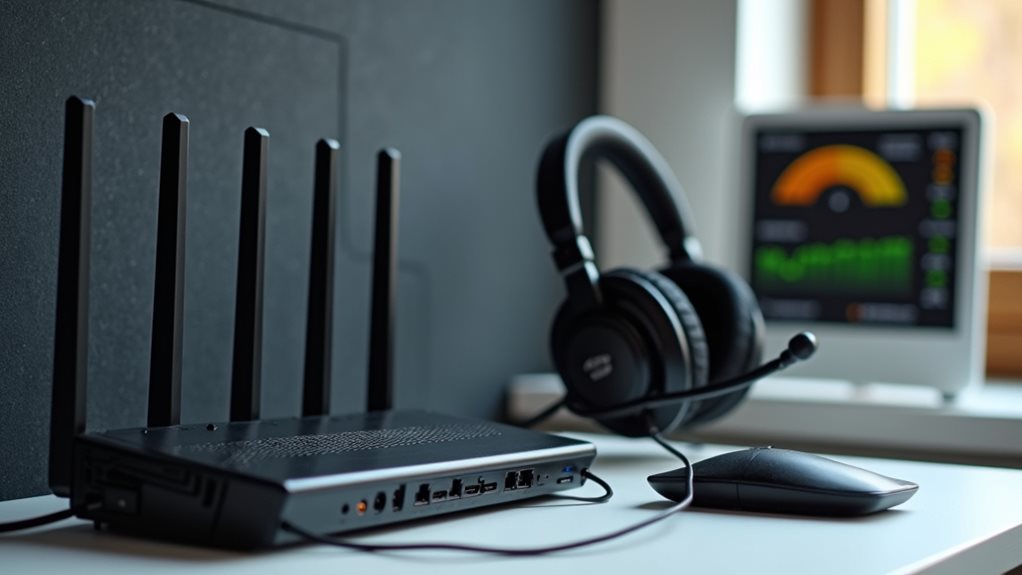
Although software optimizations play a crucial role in VoIP performance, your hardware choices fundamentally determine call quality limits. When upgrading your VoIP setup, consider both microphone quality and speaker selection as they directly impact how others hear you and how well you understand them.
- Invest in a dedicated VoIP headset with noise-canceling capabilities
- Upgrade to enterprise-grade routers that prioritize voice traffic
- Consider specialized VoIP phones rather than softphone applications
- Install Ethernet connections for critical call stations instead of relying on Wi-Fi
- Don’t overlook power backup solutions to prevent call interruptions during outages
Additionally, ensure that your router is optimized for VoIP traffic prioritization to further enhance call stability and clarity.
Remember that even the best software configurations can’t overcome subpar hardware limitations.
You’ll notice an immediate improvement in call clarity and reliability when you’ve addressed these fundamental hardware components.
Bandwidth Management Strategies
Since effective bandwidth allocation forms the backbone of any reliable VoIP system, you’ll need to implement strategic management practices to maintain call quality.
Start by conducting regular bandwidth monitoring to identify usage patterns and potential bottlenecks during peak hours. This data-driven approach allows you to proactively address issues before they impact your calls.
Implement traffic shaping techniques to prioritize voice packets over less time-sensitive data. You’ll notice immediate improvements when you configure your router’s Quality of Service (QoS) settings to give VoIP traffic precedence.
Consider setting bandwidth thresholds for non-essential applications during business hours to prevent them from consuming resources needed for crystal-clear calls.
If you’re managing a larger network, invest in specialized bandwidth management tools that provide granular control over your network resources. Additionally, ensure that your network is over-provisioned network capacity to handle unexpected traffic spikes and maintain consistent call quality.
Troubleshooting Jitter, Latency, and Packet Loss

When your VoIP calls suffer from quality issues, your first step should be conducting a thorough network performance assessment to identify the specific problems affecting your system.
You’ll need to examine whether jitter, latency, or packet loss is the primary culprit by using diagnostic tools that measure these metrics during active calls. Once you’ve pinpointed the source of trouble, implement targeted bandwidth optimization strategies such as QoS policies, buffer adjustments, or network hardware upgrades that address your particular pain points. Additionally, ensure that your router’s QoS settings are configured to prioritize VoIP packets for improved call clarity.
Network Performance Assessment
Technical sleuths know that diagnosing VoIP call quality issues requires methodical investigation of network performance metrics.
You’ll need to systematically evaluate your network speed and connection stability to pinpoint the root causes of call degradation. Regular assessment creates a baseline for normal operations, making anomalies easier to spot.
- Use specialized VoIP testing tools like Pingman or VoIPmonitor to measure real-time performance
- Conduct bandwidth tests during peak usage hours to identify potential bottlenecks
- Monitor jitter buffers to determine if your network needs reconfiguration
- Implement continuous packet loss tracking to catch intermittent issues
- Create a network map documenting all devices that handle VoIP traffic
Additionally, ensure your network’s minimum bandwidth is sufficient, as this can directly impact call quality.
Bandwidth Optimization Strategies
After identifying network performance issues, you’ll need effective strategies to optimize bandwidth and tackle the trio of VoIP call killers: jitter, latency, and packet loss.
Start by implementing continuous bandwidth monitoring tools that provide real-time insights into your network’s performance. These solutions alert you when usage approaches critical thresholds.
Next, deploy traffic shaping techniques to prioritize VoIP packets over less time-sensitive data. You can configure your router’s Quality of Service (QoS) settings to give voice traffic precedence, facilitating clear conversations even during peak usage periods.
Consider implementing a dedicated VLAN for voice communications to isolate your VoIP traffic from other network activities.
For persistent issues, evaluate your current bandwidth allocation – you might need to upgrade your internet service to accommodate your organization’s VoIP demands. Keeping an eye on VoIP bandwidth requirements will also help ensure that you meet the optimal specifications for quality communication.
Best Practices for Enterprise VoIP Deployment
Successful enterprise VoIP deployment requires careful planning and strategic implementation to guarantee ideal call quality across your organization.
You’ll need to balance technical requirements with user experience to create a robust communication infrastructure that scales with your business needs.
- Conduct a thorough network assessment before deployment to identify potential bottlenecks.
- Implement robust VoIP security measures including encryption and regular vulnerability scanning.
- Develop enterprise scalability strategies that accommodate future growth without service degradation.
- Prioritize quality-of-service (QoS) configurations to make certain voice traffic receives adequate bandwidth.
- Create detailed training programs for IT staff and end-users to maximize adoption and minimize support issues.
- Additionally, consider the importance of infrastructure assessment in proactively addressing compatibility issues before full implementation.
Frequently Asked Questions
Does Voip Call Quality Degrade With Multiple Users on One Account?
Yes, multiple users on one account can cause call congestion. You’ll experience quality issues if there’s insufficient bandwidth allocation. Make sure you’ve got enough bandwidth to support all simultaneous calls on your account.
Can Weather Conditions Affect Voip Call Quality?
Yes, weather conditions can affect your VoIP call quality. Storm effects like power outages and internet disruptions can sever connections. Temperature fluctuations may impact equipment performance. You’ll notice more issues during severe weather events.
How Do Different Codecs Impact Voip Sound Quality?
Different codecs greatly impact your call quality. When you’re doing codec comparison, remember that higher bitrate codecs like G.722 deliver better sound clarity than compressed options like G.729, which sacrifice quality for bandwidth efficiency.
Are Cellular Voip Calls Less Reliable Than Wi-Fi Calls?
Yes, cellular VoIP calls can be less reliable than Wi-Fi calls due to variable cellular coverage and network congestion. You’ll often experience more dropped calls and audio issues when you’re moving between cell towers.
Can VPN Usage Negatively Impact Voip Performance?
Yes, VPNs can degrade your VoIP calls. VPN latency adds delays, encryption overhead slows data processing, bandwidth limitations restrict call quality, and distant server locations increase ping times affecting your conversations.
Final Thoughts
By implementing the strategies we’ve explored, you’ll transform your VoIP experience from frustrating to flawless. Remember, quality calls don’t happen by accident—they’re the result of thoughtful network optimization, appropriate hardware selection, and diligent troubleshooting. Whether you’re managing a complex enterprise system or setting up your home office, these techniques will guarantee your voice communications remain crystal clear, professional, and reliable. Start with one improvement today, and you’ll hear the difference tomorrow.