
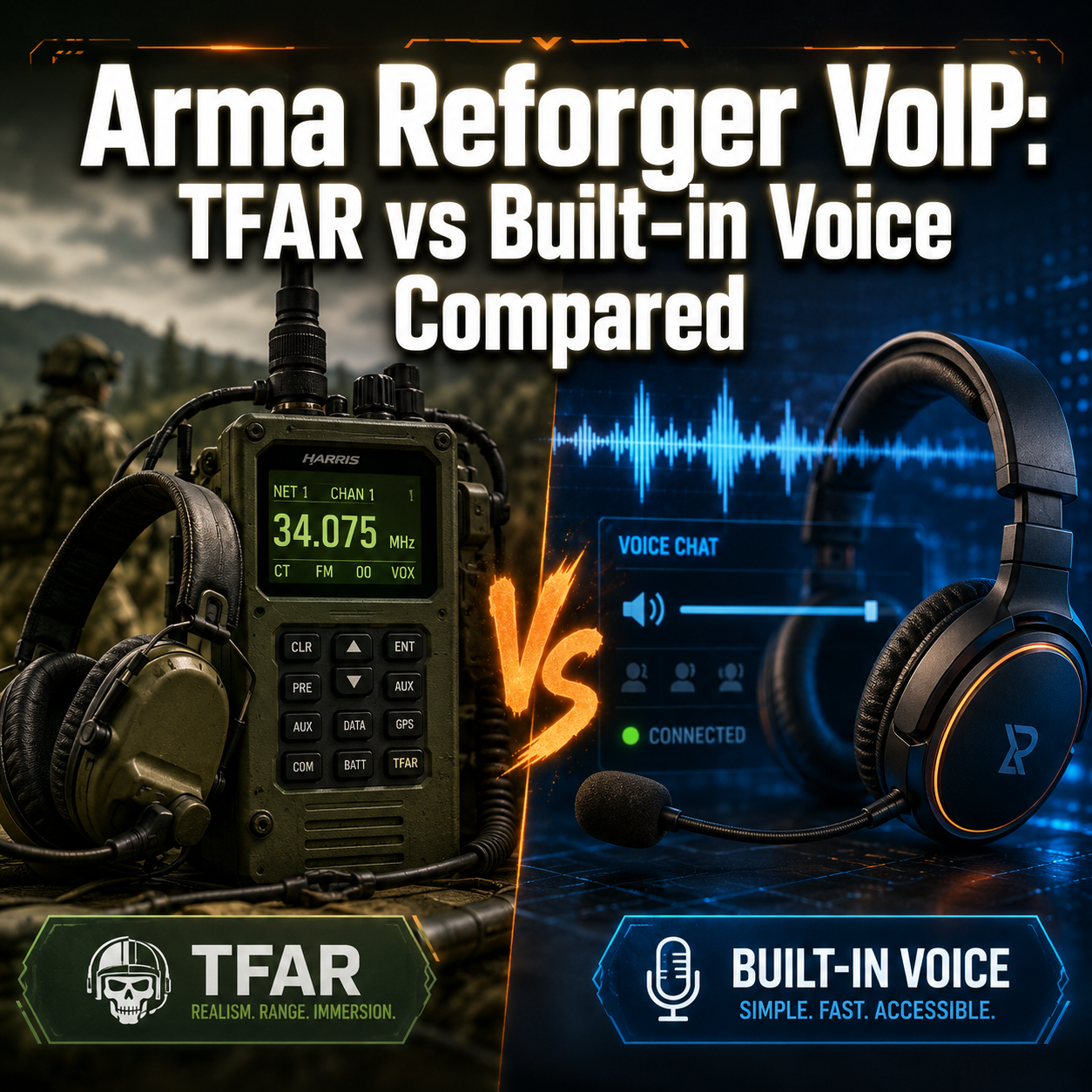
Arma Reforger players face a critical decision that can make or break their tactical coordination: choosing between Task Force Radio (TFAR) and the game’s built-in voice system. With over 60% of multiplayer failures traced to communication breakdowns, understanding the strengths and limitations of each arma reforger voip option isn’t just about preference, it’s about mission success.
The military simulation genre demands reliable connectivity and clear communication channels. Whether you’re coordinating a squad assault or calling in air support, your voice system needs to deliver. This comparison cuts through the noise to help you choose the right setup for your team.
Key Takeaways
- Built-in voice offers plug-and-play simplicity with proximity-based communication, ideal for casual players and quick sessions
- TFAR provides realistic military radio simulation with multiple channels, frequencies, and long-range capabilities for serious tactical gameplay
- Setup complexity varies dramatically: built-in requires minimal configuration while TFAR demands mod installation and radio management
- Audio quality and reliability differ significantly based on server configuration and network conditions
- Team coordination improves with TFAR’s structured communication but requires more training and discipline
Understanding Arma Reforger VoIP Options
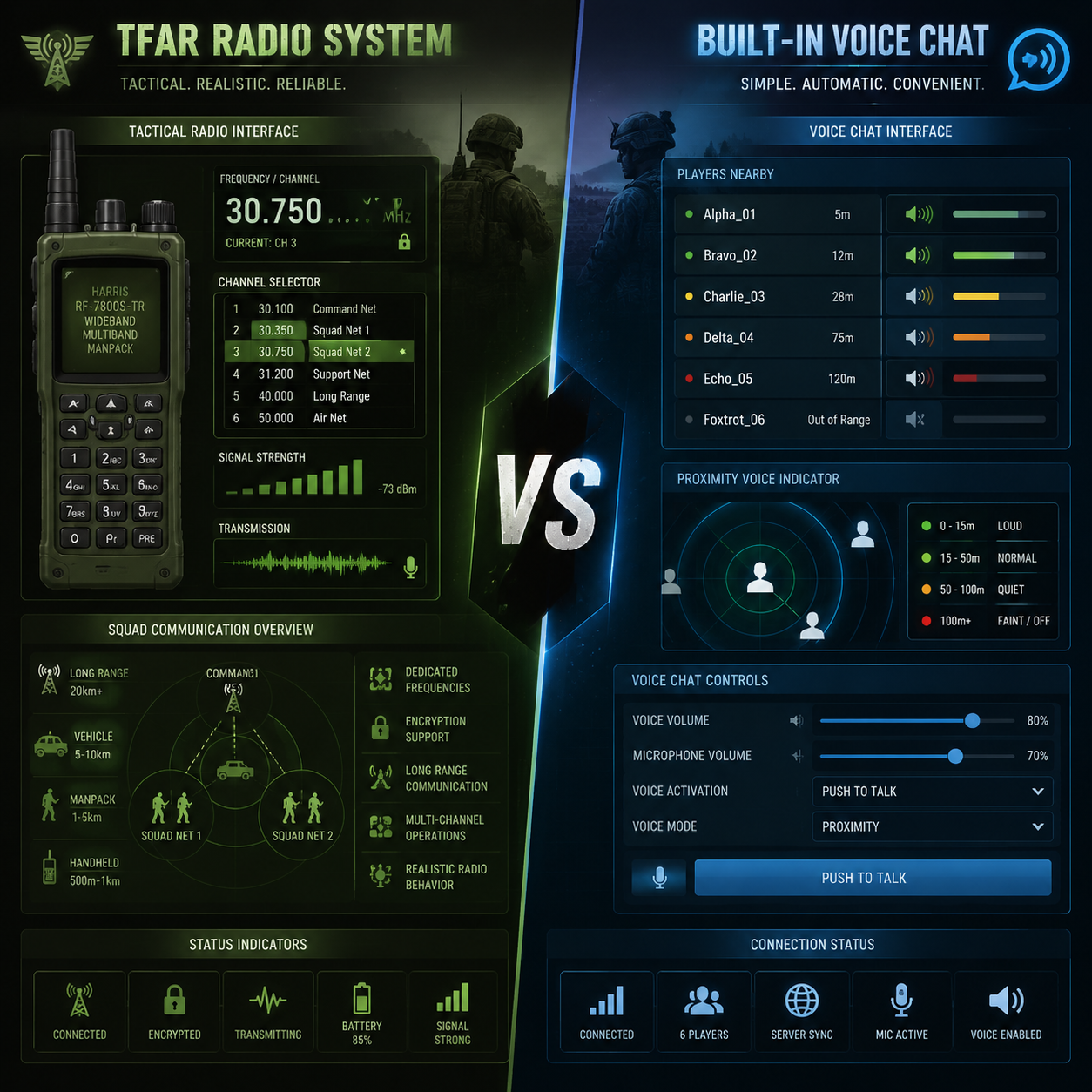
Arma Reforger ships with a functional voice communication system that handles basic tactical needs. The built-in solution uses proximity-based audio, meaning players hear each other based on distance, realistic for face-to-face communication but limited for coordinated operations across large maps.
Task Force Radio represents the opposite philosophy. Originally developed for Arma 3, TFAR brings authentic military radio protocols to the game. Players carry virtual radios, tune to specific frequencies, and manage multiple communication channels simultaneously.
The choice mirrors real-world military communications: direct speech versus radio networks. Each serves distinct purposes, and many experienced units use both systems in tandem.
How Built-in Voice Works
The native arma reforger voip system operates through three primary channels:
Direct speech broadcasts your voice to nearby players within approximately 50 meters. Volume decreases with distance, creating natural spatial audio. No equipment required, just press your push-to-talk key.
Vehicle intercom activates automatically when you enter a vehicle with teammates. All occupants hear each other clearly regardless of engine noise or combat sounds. This system prevents the chaos of multiple people shouting over gunfire.
Group channel connects squad members across any distance on the map. Press a designated key to speak with your entire fireteam, even if they’re kilometers away. This feature bridges the gap between proximity chat and full radio systems.
Configuration takes minutes. Navigate to audio settings, select your microphone, adjust sensitivity, and bind your push-to-talk keys. The system uses standard VoIP protocols similar to other gaming voice solutions, making it familiar to players from other titles.
How TFAR Changes Communication
TFAR transforms voice communication into a gameplay mechanic. Players must acquire, carry, and operate radio equipment, adding weight, taking inventory slots, and requiring battery management.
Short-range radios (SR) handle squad-level communication up to 2 kilometers. Each soldier carries one, tuned to their squad frequency. Multiple channels allow switching between fireteam, squad, and platoon nets.
Long-range radios (LR) enable communication across the entire operational area. Typically carried by squad leaders, vehicle crews, and command elements, these heavier units require backpack slots but provide unlimited range within the mission area.
Frequency management becomes crucial. Units coordinate on specific frequencies: “All callsigns, switch to 50.5 for command net.” This structure prevents radio clutter and enables proper military communication procedures.
The mod integrates with Arma Reforger’s equipment system. Radios appear in your inventory, display battery levels, and can be damaged in combat. Losing your radio means losing communication, a realistic consequence that raises tactical stakes.
Feature-by-Feature Comparison
| Feature | Built-in Voice | TFAR |
|---|---|---|
| Setup Time | 2-5 minutes | 15-30 minutes (first time) |
| Range | 50m proximity + unlimited group | 2km (SR) / unlimited (LR) |
| Audio Quality | Clear, unfiltered | Radio-filtered, authentic static |
| Channels | 3 (direct, vehicle, group) | 8+ per radio, multiple radios |
| Learning Curve | Minimal | Moderate to steep |
| Realism | Basic | High (military-grade simulation) |
| Server Requirements | None (native) | Mod support required |
Audio Quality and Reliability
Built-in voice delivers crystal-clear audio through standard VoIP protocols. Your voice transmits without artificial filtering, making communication effortless. The system handles network fluctuations reasonably well, though quality depends on server performance and your internet connection.
TFAR intentionally degrades audio quality to simulate radio transmission. You’ll hear compression artifacts, static, and interference, especially at range or in poor conditions. This authenticity enhances immersion but can frustrate players accustomed to Discord-quality clarity.
Latency matters in combat situations. Built-in voice typically maintains 50-150ms delay, acceptable for most tactical scenarios. TFAR adds processing overhead for radio simulation, potentially increasing latency to 100-200ms. The difference rarely impacts gameplay but becomes noticeable during rapid exchanges.
Network stability affects both systems differently. Built-in voice fails gracefully, you might hear stuttering or brief dropouts. TFAR can experience complete radio failure if packet loss exceeds certain thresholds, simulating realistic equipment malfunction.
For players concerned about VoIP quality and reliability, the built-in system offers more predictable performance. TFAR trades consistency for authenticity.
Range and Communication Flexibility
The built-in group channel provides unlimited range, a squad leader in the north can coordinate with a fireteam in the south instantly. This convenience simplifies command and control but eliminates realistic communication challenges.
TFAR enforces range limitations that create tactical decisions. Your SR radio reaches 2 kilometers under ideal conditions. Terrain, buildings, and interference reduce effective range. Need to contact a distant unit? You’ll relay through intermediate stations or move to higher ground.
Frequency coordination becomes a gameplay element with TFAR. Multiple squads operate on separate frequencies to prevent cross-talk. Command nets run on dedicated channels. Air support monitors specific frequencies. This structure mirrors real military operations and requires planning.
The built-in system’s simplicity shines during chaotic moments. No frequency changes, no radio checks, just press your key and talk. TFAR demands discipline: “All stations, this is Actual, switch to alternate frequency, over.”
Setup and Configuration Complexity
Getting started with built-in voice:
- Open audio settings
- Select microphone input
- Adjust sensitivity slider
- Bind push-to-talk keys (direct, vehicle, group)
- Test with teammates
Total time: under five minutes. The system works immediately on any server running standard Arma Reforger.
TFAR installation requires more steps:
- Download TFAR mod from Workshop
- Enable mod in launcher
- Join TFAR-enabled server
- Acquire radio equipment in-game
- Learn radio interface (frequencies, channels, volume)
- Configure additional keybinds (multiple PTT keys, radio controls)
- Practice radio procedures with your unit
First-time setup takes 20-30 minutes. Subsequent sessions require only equipment acquisition and frequency coordination. Similar to setting up voice chat in other tactical games, the initial investment pays dividends in gameplay depth.
Arma Reforger VoIP: Which System Fits Your Playstyle?
Casual Players and Quick Sessions
Built-in voice suits players who want immediate action without communication overhead. Join a server, grab your gear, and start talking. No mod downloads, no frequency memorization, no radio management.
The system works perfectly for:
- Public servers with rotating players
- Short gaming sessions (under 2 hours)
- Mixed-experience groups with new players
- Casual milsim without strict procedures
- Solo players joining random squads
You’ll sacrifice realism but gain accessibility. The group channel’s unlimited range means you’re never out of contact, reducing frustration when learning maps or coordinating with strangers.
Serious Tactical Units and Milsim Communities
TFAR becomes essential for organized units running structured operations. The communication discipline it enforces separates professional milsim from casual gameplay.
Dedicated communities benefit from:
- Realistic command structure with proper radio nets
- Operational security through frequency management
- Immersive gameplay with authentic procedures
- Training opportunities in communication skills
- Tactical depth from range limitations
Units running 3+ hour operations find TFAR’s complexity worthwhile. The system supports the kind of coordinated maneuvers that define serious Arma gameplay, multi-squad assaults, combined arms operations, and large-scale battles.
Many established units mandate TFAR for official operations while allowing built-in voice for training sessions. This hybrid approach balances realism with accessibility.
Performance and Technical Considerations
Both systems impact game performance, though differently. Built-in voice uses minimal resources, expect 1-3% CPU overhead and negligible bandwidth (roughly 30-50 kbps per active speaker).
TFAR adds processing for radio simulation, increasing CPU usage by 3-5%. The mod itself consumes 50-100 MB of RAM. Bandwidth requirements remain similar to built-in voice, though server-side processing can affect tick rates on heavily populated servers.
Compatibility issues rarely affect built-in voice, it’s native to the game. TFAR requires:
- Server-side mod support
- Client-side mod installation
- Compatible game version
- Occasional updates after patches
Players experiencing common VoIP problems should verify microphone settings, push-to-talk bindings, and Windows audio permissions before troubleshooting mod-specific issues.
Troubleshooting Common Issues
Built-in Voice Problems
No one hears you: Check Windows privacy settings, Arma Reforger needs microphone permissions. Verify your default recording device matches your selected microphone. Test audio levels in Windows Sound settings while speaking.
Can’t hear teammates: Confirm your output device is correct. Check in-game voice volume sliders (separate from master volume). Verify you’re on the correct channel, direct voice requires proximity, group channel needs proper squad assignment.
Crackling or distortion: Lower microphone sensitivity in-game settings. Disable audio enhancements in Windows Sound properties. Update audio drivers. Reduce background noise, the system’s noise gate may struggle with poor input.
Push-to-talk not working: Rebind keys in controls menu. Avoid keys used by other functions. Test bindings in the controls screen before joining servers. Some keyboards have anti-ghosting limitations that prevent certain key combinations.
TFAR-Specific Issues
Radio interface won’t open: Verify TFAR mod is enabled and loaded. Check you’re on a TFAR-enabled server. Ensure you have radio equipment in your inventory, the interface only appears when carrying a radio.
Transmitting but no one responds: Confirm you’re on the correct frequency. Check your radio is powered (battery level). Verify you’re within range for SR radios. Ask teammates to confirm their frequency settings.
Static or no audio: Adjust radio volume using the interface controls. Check for interference from terrain or structures. Verify TFAR audio settings in mod configuration. Some servers implement realistic interference that affects transmission quality.
Keybinds conflict: TFAR requires multiple keybinds (SR PTT, LR PTT, radio controls). Map them to unused keys or mouse buttons. Consider using modifier keys (Alt, Ctrl) to expand available bindings.
For persistent issues, consult server administrators, many TFAR problems stem from server-side configuration rather than client settings. Similar troubleshooting approaches work for voice chat in other games that use proximity-based systems.
Best Practices for Each System
Maximizing Built-in Voice Effectiveness
Bind separate keys for each channel. Don’t rely on a single push-to-talk, you’ll accidentally broadcast on the wrong channel during critical moments. Common setup: V for direct, B for vehicle, N for group.
Use proximity chat tactically. Direct voice reveals your position to enemies within 50 meters. Maintain radio silence during stealth approaches. Switch to group channel for coordination without compromising your location.
Adjust sensitivity for your environment. Quiet room? Lower sensitivity to avoid breathing sounds. Noisy background? Increase sensitivity but use push-to-talk exclusively, never voice activation.
Communicate clearly and concisely. Without TFAR’s structure, discipline matters more. State your callsign, message, and intent: “Blue 2, contact north, 200 meters, engaging.”
Getting the Most from TFAR
Learn proper radio procedures. Start transmissions with recipient callsign, end with “over” for response expected or “out” for transmission complete. Example: “Alpha Actual, this is Bravo 2, moving to checkpoint Delta, over.”
Manage your frequencies. Write down important frequencies or use in-game notes. Common structure: squad net on channel 1, platoon net on channel 2, command net on channel 3, air support on channel 4.
Monitor multiple channels. Set your SR to monitor squad net while your LR monitors command net. You’ll hear both simultaneously, staying informed without constant frequency changes.
Conduct radio checks. Before operations, verify all elements can communicate: “All callsigns, radio check on platoon net.” Each unit responds with signal strength: “Bravo 2, lima charlie” (loud and clear).
Practice brevity codes. Use standard military terminology to reduce transmission time. “Contact” instead of “I see enemies,” “RTB” instead of “returning to base,” “SITREP” instead of “situation report.”
The structured approach TFAR enforces improves coordination even in units that later switch to external voice solutions like Discord. The habits transfer to any tactical communication scenario.
Integration with External Voice Platforms
Many units run Discord or TeamSpeak alongside Arma Reforger’s voice systems. This hybrid approach combines reliable external voice with in-game immersion.
Common configurations:
- Discord for command net, TFAR for squad nets
- Discord for out-of-character chat, built-in voice for in-game communication
- Discord as backup when in-game voice fails
- Discord for briefings, TFAR during operations
The challenge lies in managing multiple audio sources. Players must balance volumes, avoid echo from multiple microphones, and remember which platform to use for different communications.
Best practice: Use push-to-talk for all platforms with distinct keybinds. Never enable voice activation on multiple systems simultaneously, you’ll create feedback loops and confusion about which channel you’re broadcasting on.
External platforms offer superior audio quality and reliability compared to in-game systems. However, they sacrifice the immersion and tactical constraints that make Arma Reforger’s communication systems engaging. The choice depends on whether you prioritize convenience or authenticity.
For teams managing remote communications, the principles of clear audio, reliable connectivity, and structured channels apply equally to gaming and business contexts.
FAQ
Can I use both TFAR and built-in voice simultaneously?
Yes, both systems run independently. Many players use TFAR for structured military communication while keeping built-in voice available for quick local coordination. Bind different keys to each system to avoid confusion about which channel you’re transmitting on.
Does TFAR work on all Arma Reforger servers?
No, servers must explicitly enable TFAR mod support. Check server descriptions or ask administrators before joining. Most serious milsim servers run TFAR, while casual servers typically use only built-in voice.
Which system has better audio quality?
Built-in voice provides clearer audio without artificial filtering. TFAR intentionally adds radio effects (compression, static, interference) for realism. If you prioritize clarity, use built-in voice. If you want authentic military communication, choose TFAR.
How much bandwidth does Arma Reforger VoIP use?
Both systems use approximately 30-50 kbps per active speaker. A squad of eight players with constant communication requires roughly 250-400 kbps total. This is minimal compared to game data, voice rarely causes bandwidth issues unless you’re on extremely limited connections.
Can enemies hear my voice in Arma Reforger?
Only when using direct/proximity voice within 50 meters. Group channel and TFAR radio transmissions are team-only. Use this tactically, maintain radio silence during stealth approaches, switch to proximity chat only when necessary.
Do I need special hardware for TFAR?
No, TFAR works with any microphone and headset that functions with built-in voice. However, a headset with good noise isolation helps you hear radio transmissions clearly during combat. Some players use programmable keyboards or gaming mice to manage multiple push-to-talk keys more easily.
Conclusion
The choice between arma reforger voip systems ultimately depends on your commitment level and gameplay preferences. Built-in voice delivers immediate, hassle-free communication perfect for casual sessions and public servers. TFAR provides unmatched tactical depth and realism for dedicated units willing to invest time in proper radio procedures.
New players should start with built-in voice to learn game mechanics without communication complexity. Once comfortable with Arma Reforger’s systems, experiment with TFAR on milsim servers to experience authentic military coordination.
Established units benefit from TFAR’s structured communication, especially during large-scale operations requiring multiple command levels. The initial learning curve pays dividends in operational effectiveness and immersion.
Next steps:
- Test built-in voice on public servers to establish baseline communication skills
- Join a TFAR-enabled server for a trial session to experience radio simulation
- Connect with milsim communities to learn proper radio procedures
- Configure keybinds for both systems to maintain flexibility
- Practice communication discipline regardless of which system you choose
Remember that effective tactical communication depends more on discipline and clarity than technology. Whether you’re using basic proximity chat or complex radio networks, concise callouts and proper coordination win battles. Choose the system that matches your unit’s needs, then focus on developing the communication skills that make any VoIP system effective.
For players interested in how voice technology enhances other gaming experiences, explore guides on voice chat in other tactical games or learn about VoIP technology fundamentals that power these systems.