

VoIP revolutionizes remote work by eliminating long-distance charges and enabling advanced collaboration through screen sharing, video conferencing, and virtual meeting rooms. You’ll benefit from seamless integration with CRM systems and project management tools, creating a unified workflow that improves productivity. Security concerns are addressed through end-to-end encryption and multi-factor authentication, while quality headsets and QoS settings optimize call clarity. Organizations typically report 15-30% reductions in meeting times after implementation, transforming how distributed teams connect and collaborate.
The Cost Benefits of VoIP for Distributed Teams
Companies looking to trim operational expenses often turn to VoIP (Voice over Internet Protocol) as a cost-saving solution for their distributed teams.
You’ll find that traditional phone systems require considerable hardware investments and ongoing maintenance, while VoIP notably reduces these capital expenditures. With VoIP, you’re paying primarily for bandwidth rather than physical infrastructure.
Budget management becomes simpler when you can predict your communication expenses through flat-rate VoIP subscriptions. You’ll eliminate unpredictable long-distance charges that plague conventional systems, particularly valuable when your team spans multiple countries.
Financial predictability is the hidden superpower of VoIP, turning chaotic international calling costs into manageable monthly expenses.
Additionally, you won’t need separate networks for voice and data, reducing both installation and maintenance costs. Many providers offer scalable plans that grow with your business, guaranteeing you’re never paying for unused capacity. This flexibility transforms your communication system from a fixed cost center into a responsive tool that adapts to your organizational needs, ensuring you benefit from cost savings and affordability that can enhance your overall operational efficiency.
Essential VoIP Features That Enhance Remote Collaboration
While cost savings provide a compelling reason to adopt VoIP, the technology’s real power for remote teams lies in its feature-rich capabilities.
You’ll transform your team dynamics through advanced collaboration tools like screen sharing, video conferencing, and digital whiteboards—all integrated within a single platform. These features eliminate the need to switch between multiple applications, creating a seamless user experience that reduces friction in daily workflows.
Features like presence indicators show when colleagues are available, while call routing guarantees important communications reach the right person.
Virtual meeting rooms, complete with recording capabilities, allow team members across time zones to contribute meaningfully to projects. The ability to transcribe calls automatically creates searchable records of important discussions, assuring no valuable insights get lost in the distributed work environment. Additionally, the integration of existing business tools enhances collaboration and productivity across remote teams.
Setting up Your Remote Team With Voip: a Step-By-Step Guide

Implementing VoIP for your remote workforce doesn’t need to be complicated when you follow a structured approach.
Begin by evaluating your team’s communication needs and selecting a VoIP provider that aligns with those requirements.
Your remote onboarding process should include:
- Analyzing your internet infrastructure to guarantee it supports voice quality
- Distributing necessary hardware (headsets, webcams) or software clients
- Creating detailed VoIP setup guides customized to various devices
- Scheduling training sessions to familiarize team members with features
You’ll find that a methodical VoIP setup pays dividends through improved collaboration. Additionally, ensure you test the system to verify network bandwidth requirements before full deployment and gather feedback from early adopters.
This approach minimizes disruption while maximizing adoption rates, ultimately creating a seamless shift to your new communication ecosystem.
How Voip Integrates With Your Existing Business Tools
VoIP solutions don’t exist in isolation—they thrive within your broader business ecosystem. The power of VoIP integrations lies in their ability to connect seamlessly with tools you’re already using daily.
Your CRM systems, project management platforms, and email services can all communicate with your VoIP system, creating a unified workflow that eliminates constant app-switching.
When you connect your VoIP system with Salesforce, HubSpot, or Microsoft Teams, you’ll immediately notice improved business tool efficiency. Customer information appears automatically during calls, meeting notes sync directly to project boards, and voicemails can be transcribed into your email inbox.
Additionally, the ability to enhance connectivity ensures that your remote team can communicate effectively, regardless of their location.
These connections aren’t just convenient—they’re transformative for remote teams who need information flowing freely between systems. You’ll save time, reduce errors, and create a more cohesive remote work experience.
Security Considerations for Remote VoIP Implementation
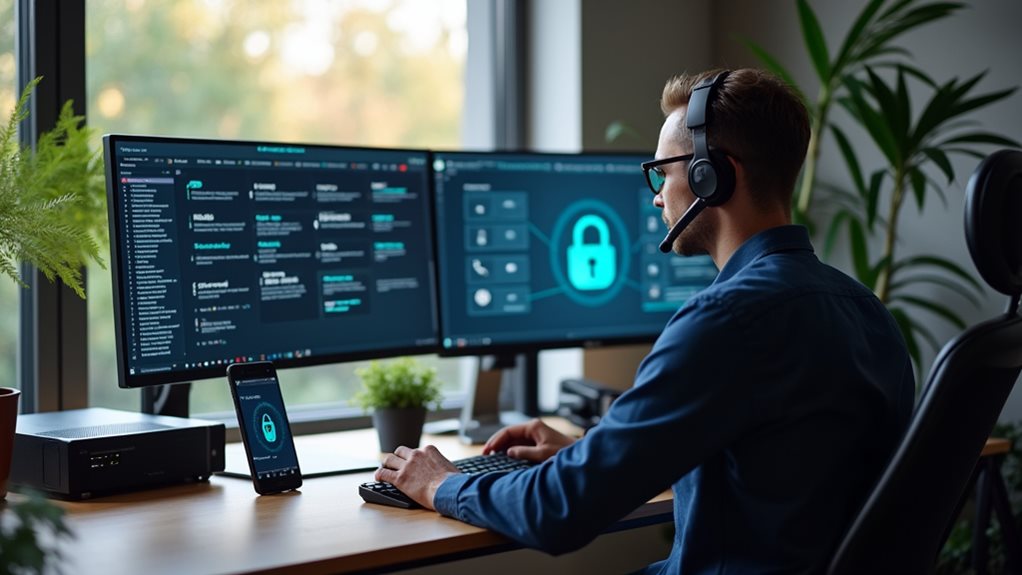
As your team shifts to remote work environments, security must become a fundamental priority in your VoIP implementation strategy.
You’ll need robust protection measures to safeguard sensitive communications across distributed networks.
Consider implementing these vital security elements:
- End-to-end encryption methods to protect voice data during transmission
- Multi-factor user authentication protocols to verify caller identities
- Regular security audits to identify and address potential vulnerabilities
- VPN integration for an additional layer of network protection
When selecting a VoIP provider, evaluate their security infrastructure and compliance certifications.
Don’t compromise on encryption standards—ensure they offer TLS/SRTP protocols at minimum.
Implementing multi-factor authentication adds an extra layer of defense against unauthorized access and significantly reduces security risks.
Remember that your remote communication system is only as secure as its weakest link, so thorough training for your team on security best practices is critical.
Overcoming Common Challenges in Virtual Communication
When you’re plagued by poor audio quality or dropped connections during VoIP meetings, troubleshooting your network settings and upgrading your headset can eliminate most technical frustrations. You’ll find that integrating collaborative tools like shared whiteboards and real-time document editing transforms virtual communication from a series of disconnected conversations into a cohesive workflow. Establishing clear protocols for turn-taking and screen sharing will further improve your team’s remote collaboration experience, creating a virtual environment that rivals in-person productivity. Regularly testing for jitter and packet loss can enhance your call clarity and provide a smoother communication experience.
Technical Hiccups Solved
Despite the remarkable capabilities of VoIP technology, remote workers often encounter frustrating technical challenges that can derail productive meetings and collaborative sessions.
You don’t need to let these issues compromise your productivity. With some practical network reliability strategies and basic troubleshooting techniques, you’ll overcome the most common VoIP obstacles.
Try these proven solutions to minimize technical disruptions:
- Invest in a dedicated ethernet connection rather than relying solely on Wi-Fi.
- Regularly restart your router and VoIP devices to clear memory and refresh connections.
- Use quality headsets with noise-cancellation features to improve call clarity.
- Configure Quality of Service (QoS) settings on your router to prioritize VoIP traffic. Additionally, be sure to monitor network performance regularly to address issues like latency and jitter.
Remote Collaboration Tools
While technical issues may disrupt your VoIP experience, the real challenge often lies in recreating authentic human connection through virtual channels. You’ll need more than just reliable audio to foster team engagement in remote settings.
Modern collaboration platforms integrate VoIP with crucial productivity tools, creating a thorough workspace where you can share screens, collaborate on documents in real-time, and engage in impromptu discussions. Leveraging high-quality audio and video calls is essential to ensure clearer communication during these interactions.
Consider implementing structured video check-ins with clear agendas, but don’t overlook the value of casual virtual coffee breaks to maintain social bonds.
Balance synchronous communication (live meetings) with asynchronous options (recorded messages) to accommodate different time zones and work preferences.
The most successful remote teams don’t just replicate office interactions—they strategically adapt communication approaches to leverage VoIP’s unique advantages.
Case Studies: Organizations Transforming Remote Work With Voip

Throughout the business environment, numerous organizations have successfully leveraged VoIP technology to revolutionize their remote work capabilities.
You’ll find that companies across various sectors have documented substantial benefits after implementing thorough VoIP solutions for their distributed teams.
Consider these remarkable VoIP advantages that transformed remote work arrangements:
- A multinational consulting firm reduced communication costs by 67% while increasing team availability across time zones.
- A mid-sized software company integrated their VoIP system with project management tools, decreasing project completion time by 23%.
- A healthcare provider implemented secure VoIP solutions enabling HIPAA-compliant telehealth services.
- An educational institution shifted to remote learning by utilizing VoIP’s video conferencing capabilities, maintaining 94% student engagement.
These real-world examples demonstrate how VoIP technology doesn’t just facilitate communication—it improves overall operational efficiency in remote environments. Furthermore, the cost-effectiveness of VoIP allows organizations to allocate resources more efficiently, setting them up for sustained growth and success.
Measuring Productivity Improvements After VoIP Adoption
Once you’ve implemented VoIP solutions for your remote teams, quantifying the resulting productivity gains becomes essential for justifying your investment and identifying opportunities for further optimization.
You’ll need to establish clear productivity metrics before and after VoIP adoption to accurately measure impact. Start by analyzing call data through VoIP analytics tools. Track metrics like resolution times, call durations, and response rates to gauge efficiency improvements.
Many organizations report 15-30% reductions in meeting times and considerably fewer delays when using VoIP systems with integrated collaboration features.
Don’t overlook qualitative measures—employee satisfaction surveys often reveal that workers feel more connected and report streamlined workflows after VoIP implementation. Additionally, with savings on communication expenses, organizations can invest in further optimizing their remote work capabilities.
Remember to document these improvements systematically, as they’ll prove invaluable when making future technology decisions for your remote workforce.
Future Trends: How VoIP Will Continue to Evolve for Remote Workers

Your VoIP system will soon integrate AI-powered communication tools that can transcribe meetings, translate conversations in real-time, and prioritize messages based on urgency.
You’ll notice immersive virtual workspaces becoming more common, allowing you to collaborate with colleagues in 3D environments that simulate in-person interactions.
These technological advancements will transform how you connect remotely, making distance increasingly irrelevant in professional communication.
AI-Powered Communication Tools
As VoIP technology continues to evolve, AI-powered communication tools are emerging as game-changers for remote workers.
You’ll find these innovations transforming how you communicate with colleagues and clients, making collaboration more efficient despite physical distance.
The integration of AI into VoIP systems offers several advantages:
- AI chatbots provide instant responses to common queries, reducing wait times and increasing productivity
- Voice recognition technology enables hands-free command execution and accurate meeting transcription
- Sentiment analysis helps you gauge emotional responses during virtual meetings
- Automated scheduling assistants eliminate the back-and-forth of coordinating across time zones
These tools don’t just streamline your workflow—they’re reshaping remote communication entirely.
Immersive Virtual Workspaces
The next frontier in VoIP technology expands beyond traditional audio and video connections into fully immersive virtual workspaces.
You’ll soon find yourself stepping into digital environments where collaboration happens in three dimensions rather than on flat screens. These immersive environments create a sense of presence that current remote work tools simply can’t match.
Virtual teamwork takes on new meaning when you can gather around a digital whiteboard, manipulate 3D models together, or simply feel like you’re in the same room with colleagues who might be thousands of miles away.
The psychological benefits are substantial—reducing isolation while maintaining flexibility. While today’s VoIP platforms offer glimpses of this future through basic screen sharing and virtual backgrounds, tomorrow’s solutions will transform how you perceive distance and connection in your professional life.
Frequently Asked Questions
Can Voip Calls Work Without Internet During Power Outages?
No, you can’t use VoIP without internet during outages – that’s one of its key VoIP limitations. However, you can maintain service with power backup solutions like UPS systems or battery-powered internet devices.
How Does Voip Voice Quality Compare to Traditional Phone Systems?
VoIP can offer excellent voice clarity and matches traditional phone quality when you have good internet. However, your call stability may occasionally suffer during network congestion, unlike traditional landlines which maintain consistent connections.
Do Employees Need Special Hardware to Use Voip at Home?
No, you don’t need special hardware for VoIP compatibility in your home office. You can use your existing computer, smartphone, or tablet with a headset. Some may prefer dedicated VoIP phones for better quality.
Can Voip Systems Handle International Calling Without Extra Charges?
Yes, most VoIP systems offer international calling at considerably lower rates than traditional phones. You’ll enjoy VoIP advantages like flat-rate international plans, eliminating surprising charges while keeping your global team connected affordably.
Is Employee Training Required When Transitioning to Voip?
Yes, you’ll need some training when shifting to VoIP. While it’s user-friendly, employees should understand its interface and VoIP benefits. Brief sessions help overcome shift challenges and guarantee everyone maximizes the system’s capabilities.
Final Thoughts
You’re now equipped to transform your remote work experience with VoIP technology. By implementing these solutions, you’ll boost collaboration while reducing costs and complexity. Don’t wait to modernize your communication infrastructure—start with small steps and scale as your team adapts. Whether you’re managing a fully distributed workforce or shifting to hybrid arrangements, VoIP provides the flexibility and reliability you’ll need to thrive in today’s evolving workplace environment.