

To fix VoIP call drops, check your network first—monitor bandwidth, packet loss, and latency. Make certain your router and firewall properly prioritize voice traffic using QoS settings. Verify that your ISP provides adequate service for VoIP needs, aiming for at least 100 Kbps per call. Regularly update firmware on all devices and consider disconnecting non-essential equipment during important calls. The following thorough approach will help you identify and eliminate the root causes of your dropped calls.
Understanding Why VoIP Calls Drop: The Technical Basics
When your VoIP calls suddenly disconnect, the culprit usually lies in the technical infrastructure that powers this internet-based communication system.
These disruptions often stem from network congestion, where data packets carrying your voice can’t traverse through crowded bandwidth highways efficiently.
VoIP protocols like SIP and H.323 govern how your calls connect and maintain stability. When these protocols encounter errors or misconfigurations, your conversations abruptly end.
Similarly, improper codec selection impacts call quality and stability. Heavy codecs requiring substantial bandwidth may cause drops when your network can’t sustain the data flow.
You’ll also find that jitter (variations in packet arrival time) and latency (delays in transmission) frequently contribute to call disconnections.
Understanding these technical foundations helps you pinpoint the exact reason your important calls keep failing. Additionally, codec compatibility is critical for ensuring smooth audio transmission and preventing unexpected drops.
Diagnosing Bandwidth and Network Congestion Issues
To effectively diagnose bandwidth and network congestion issues, you’ll need to perform several targeted tests that reveal what’s happening behind the scenes of your VoIP system.
Start by implementing regular bandwidth monitoring tools that measure both upload and download speeds during peak usage times. These metrics will highlight when your network approaches capacity limits.
Consistent bandwidth monitoring during peak hours reveals exactly when your network reaches its breaking point.
Next, run thorough network diagnostics to identify potential bottlenecks. Pay special attention to packet loss rates, jitter measurements, and latency spikes—all common culprits behind dropped calls.
You’ll want to document these readings over time to establish patterns.
Consider temporarily disconnecting non-essential devices from your network during important calls. This simple test can confirm whether your bandwidth constraints are causing the problems or if other factors are at play. Maintaining stable internet connections is crucial for consistent VoIP call quality, so it’s important to understand how fluctuations impact your service.
Fixing Router and Firewall Configuration Problems

Router and firewall misconfigurations often lurk behind persistent VoIP call drops, creating frustrating barriers to reliable communication.
To resolve these issues, you’ll need to examine your router settings and make sure they’re optimized for VoIP traffic. Check that Quality of Service (QoS) features prioritize voice packets over less time-sensitive data like downloads.
Your firewall rules may inadvertently block crucial VoIP protocols, particularly SIP and RTP traffic. Configure your firewall to permit these protocols on their standard ports—typically 5060-5061 for SIP and 10000-20000 for RTP.
Additionally, verify that your router supports ALG (Application Layer Gateway) for VoIP, but disable this feature if it’s causing connection problems—ironically, many VoIP issues stem from problematic ALG implementations. Implementing strong VLAN security measures can also enhance the overall reliability of your VoIP services.
Addressing Packet Loss and Jitter in Your Network
Since packet loss and jitter represent the primary culprits behind choppy audio and dropped VoIP calls, you’ll need to systematically identify and eliminate these network villains.
Your first step should be running diagnostic tests to measure current packet loss rates across your network infrastructure. Implement packet prioritization techniques that give VoIP traffic precedence over less time-sensitive data, guaranteeing your conversations don’t compete with large downloads or streaming services.
Prioritize VoIP packets over general traffic to prevent your critical calls from battling bandwidth-hungry applications.
- Configure your network equipment to support Quality of Service (QoS) protocols that prioritize voice packets.
- Increase your jitter buffer optimization settings during peak usage periods.
- Consider upgrading your bandwidth if tests consistently show network congestion. Additionally, monitoring network performance regularly can help identify potential issues before they escalate into significant problems.
Troubleshooting QoS (Quality of Service) Settings

To properly troubleshoot QoS settings, you’ll need to examine your bandwidth allocation priorities to guarantee VoIP traffic receives precedence over less time-sensitive data.
Your network traffic shaping configurations directly impact call quality, so verify that your router prioritizes voice packets with appropriate DSCP markings.
When you’ve established correct QoS hierarchies, you’ll notice immediate improvements in call stability during periods of network congestion. Additionally, regularly monitoring latency and jitter can help you identify further optimizations in your VoIP setup.
Bandwidth Allocation Priorities
When VoIP calls consistently drop despite adequate internet connectivity, improper QoS settings may be quietly sabotaging your communications.
Effective bandwidth management requires establishing clear priority settings for your voice traffic over less time-sensitive data.
To optimize your bandwidth allocation priorities:
- Configure your router to prioritize VoIP packets with the highest classification (typically marked as EF or Expedited Forwarding)
- Set bandwidth thresholds that guarantee at least 30% of available bandwidth for voice communications during congestion
- Implement traffic shaping rules that limit non-essential applications during active calls
You’ll need to access your router’s QoS configuration page to establish these hierarchies.
Don’t hesitate to temporarily disable bandwidth-hungry applications when experiencing persistent call drops—this simple troubleshooting step often reveals whether your priority settings need adjustment. Additionally, proper QoS configuration is crucial for regulating traffic flow and enhancing call reliability.
Network Traffic Shaping
Network traffic shaping offers a powerful solution for VoIP call drops that persist despite your best efforts with bandwidth allocation.
By implementing advanced network optimization techniques, you’ll create a more stable environment for voice packets to travel through your system. Start by configuring your router’s QoS settings to prioritize VoIP traffic over less time-sensitive data.
Don’t overlook traffic management strategies like packet scheduling and buffering controls. You’ll want to minimize jitter by setting up consistent packet delivery intervals.
Consider implementing burst limiting to prevent network congestion during peak usage periods. Most modern routers include these features, but you’ll need to access the administrator panel to activate them.
Additionally, monitoring network performance regularly can help identify issues that may affect call quality.
Remember to test your configuration after making changes—real-world performance often reveals adjustments needed for your specific network environment.
Resolving Hardware and Equipment Failures
Faulty hardware components represent a major culprit behind persistent VoIP call drops that frustrate both users and IT administrators. When tackling these issues, you’ll need to conduct systematic inspections of your VoIP infrastructure to identify failing equipment.
Regular equipment maintenance prevents many problems before they escalate into service disruptions.
- Check power supplies and connections first—these simple elements often cause intermittent failures that mimic more complex problems.
- Test your VoIP phones, headsets, and adapters using alternative devices to isolate whether issues originate from endpoints or network components.
- Consider implementing hardware upgrades for aging equipment, particularly if your devices are operating beyond their recommended lifecycle.
Don’t overlook firmware updates for all components in your VoIP ecosystem, as manufacturers frequently address known issues that contribute to call stability problems. Additionally, monitoring network packets can help identify anomalies that disrupt the signaling process and lead to call drops.
Identifying and Correcting ISP-Related Problems
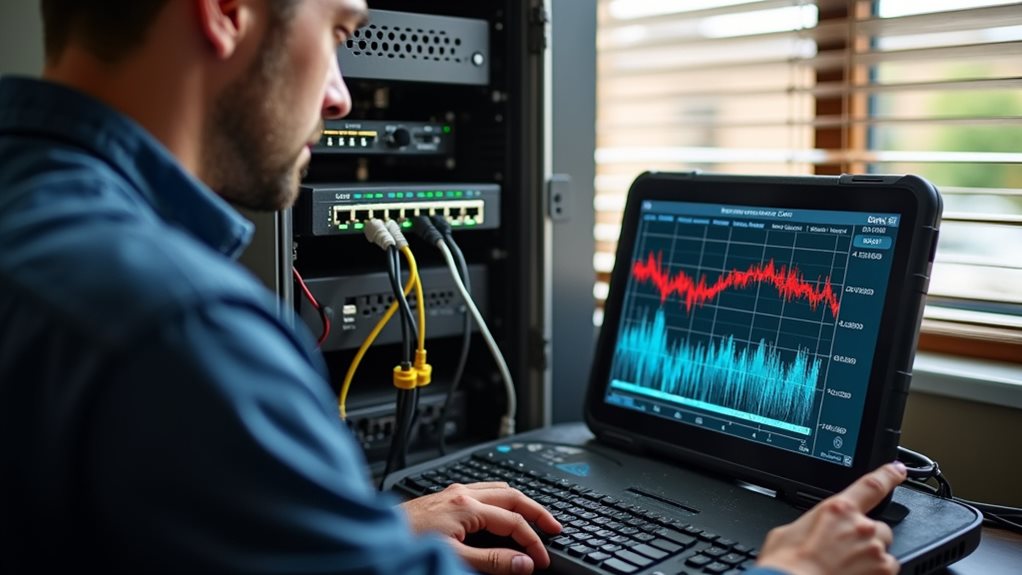
Since your Internet Service Provider serves as the backbone of your VoIP communication system, ISP-related problems can greatly impact call quality and reliability.
When troubleshooting ISP issues, start by running speed tests to verify you’re receiving adequate bandwidth. Look for minimum upload speeds of 100 Kbps per simultaneous call.
Contact your ISP directly if you notice consistent service reliability issues during business hours. Ask specifically about packet loss, jitter, and latency problems that affect VoIP performance. Many providers offer business-class services with guaranteed quality metrics and priority support.
Don’t settle for unreliable service—engage your ISP about VoIP-specific metrics and explore their business-class options with guaranteed performance.
Consider implementing a secondary internet connection from a different ISP as a failover option. This redundancy guarantees you’ll maintain communication capabilities even when your primary connection experiences problems, a critical safeguard for businesses relying on voice communications. Additionally, ensure your ISP supports VoIP-optimized routes that prioritize voice traffic, as this can significantly enhance call quality.
Optimizing VoIP Software and Firmware
While hardware issues often steal the spotlight in VoIP troubleshooting discussions, outdated software and firmware can silently sabotage your call quality.
You’ll need to establish a regular maintenance routine to keep your VoIP system performing at its best.
- Check your VoIP software updates at least monthly—manufacturers frequently release patches that address known call drop issues and security vulnerabilities.
- Verify firmware compatibility between your VoIP devices and service provider, as mismatched versions can create unexpected conflicts leading to mid-call disconnections.
- Document each update’s impact on call quality, which helps you quickly rollback problematic updates or identify improvement patterns.
Don’t wait until calls deteriorate to think about maintenance.
Proactive firmware management prevents many common issues and guarantees you’re leveraging the latest improvements in VoIP technology. Additionally, incorporating strong passwords and multi-factor authentication can bolster your system’s defenses against potential breaches while enhancing overall performance.
Testing and Monitoring Your VoIP System Performance

Testing and monitoring your VoIP system performance goes beyond reactive troubleshooting—it’s about catching problems before they escalate into dropped calls.
You’ll need to implement regular network testing protocols to identify VoIP latency issues before they affect your communications.
Consider using dedicated monitoring tools that measure call quality metrics like jitter, packet loss, and Mean Opinion Score (MOS). These indicators provide valuable insights into your system’s health.
Monitoring metrics like jitter, packet loss, and MOS transforms system maintenance from reactive fire-fighting to proactive performance optimization.
Don’t wait for complaints—schedule weekly performance tests during both peak and off-peak hours to establish baseline performance patterns.
When you detect anomalies, document them thoroughly. Is the issue isolated to specific devices or network segments? Does it occur at predictable times?
This systematic approach transforms troubleshooting from guesswork to precision, saving you countless hours of frustration while guaranteeing your VoIP system delivers consistently reliable service.
Implementing Preventative Measures for Reliable Calls
Preventing VoIP call drops before they occur represents the most effective strategy in maintaining a dependable communication system. By implementing proactive measures, you’ll considerably reduce interruptions and improve overall call quality.
Extensive user training plays a vital role, guaranteeing your team understands how to maximize system performance.
- Conduct quarterly user education sessions covering bandwidth management, proper equipment handling, and recognizing early warning signs of potential issues
- Implement Quality of Service (QoS) protocols that prioritize voice traffic over less time-sensitive data transmissions
- Schedule regular firmware updates and system maintenance during off-peak hours to minimize disruption
Don’t wait for problems to emerge—establish these preventative routines now. You’ll not just experience fewer dropped calls but also extend the lifespan of your VoIP infrastructure while maintaining client confidence.
Frequently Asked Questions
Does Weather Affect Voip Call Quality?
Yes, severe weather conditions can impact your VoIP call quality. Heavy storms, lightning, and strong winds may cause signal interference, disrupting your internet connection and leading to dropped calls or poor audio clarity.
Can Voip Calls Be Recorded Legally?
Yes, you can legally record VoIP calls, but VoIP recording laws vary by location. Most jurisdictions require either one-party or all-party consent requirements. Always check your local regulations before recording any conversations.
How Do Mobile Voip Apps Compare to Desktop Applications?
Mobile VoIP apps offer flexibility and on-the-go convenience but may have limited features compared to desktop applications. Desktop performance typically delivers better call quality, advanced functionality, and more reliable connections when you’re at your workstation.
Are Voip Calls Secure From Eavesdropping?
VoIP calls aren’t inherently secure. You’ll need strong encryption methods like TLS or SRTP to protect your conversations. Be aware of network vulnerabilities that hackers can exploit if you’re using unprotected connections.
How Much Data Does a Typical Voip Call Consume?
A typical VoIP call consumes 30-100 KB per minute. You’ll need sufficient VoIP bandwidth for good call quality. Higher bitrates use more data, while compression reduces it but might affect sound clarity.
Final Thoughts
You’ve now gained a thorough toolkit for tackling VoIP call drops. Remember, consistent monitoring and proactive maintenance are your best allies in this battle. Don’t wait for problems to escalate—implement the bandwidth management, router configuration, and QoS optimization techniques we’ve discussed. By addressing these technical foundations, you’ll dramatically improve your call quality and reliability, guaranteeing your communication remains uninterrupted when it matters most.