

VoIP latency is the delay between when you speak and when the other person hears you on internet-based calls. You’ll experience it as awkward pauses or talking over each other. To fix it, upgrade your router with QoS features, prioritize voice traffic, monitor bandwidth usage (keeping it below 80% capacity), and reduce network congestion. For persistent issues, try packet sniffing tools like Wireshark and adjust jitter buffer settings. These technical adjustments will transform your call quality dramatically.
Understanding the Technical Causes of VoIP Latency
VoIP latency often stems from network congestion, which occurs when too much data competes for limited bandwidth on your connection. This bottleneck forces voice packets to queue, creating noticeable delays in conversation.
Network congestion creates communication bottlenecks, forcing voice data into frustrating queues when bandwidth can’t handle competing traffic demands.
Another major factor is the jitter buffer, a component that temporarily stores incoming voice packets to guarantee seamless playback. While important, an oversized jitter buffer can actually increase latency by holding packets longer than necessary.
Conversely, a buffer that’s too small might cause audio quality issues when network conditions fluctuate. Your router’s quality of service settings, packet prioritization capabilities, and the physical distance to your VoIP provider’s servers also contribute greatly to your overall call experience. Regularly assessing network performance metrics can help identify and resolve these latency issues.
Measuring and Diagnosing Your Network’s Latency Issues
Network diagnostics serve as your first line of defense against frustrating VoIP latency problems. When your calls start dropping or voices sound choppy, it’s time to investigate what’s happening beneath the surface of your network.
Start with simple ping tests to measure round-trip times between your device and the VoIP server. These tests reveal immediate latency issues and packet loss patterns that might be disrupting your calls.
For more thorough insights, implement continuous network monitoring tools that track performance metrics over time. Monitoring Quality of Service ensures optimal VoIP call quality and helps identify latency issues effectively.
Don’t overlook the value of establishing baseline measurements during peak performance periods. This gives you a reference point when troubleshooting future problems.
Hardware Solutions to Reduce VoIP Call Delays
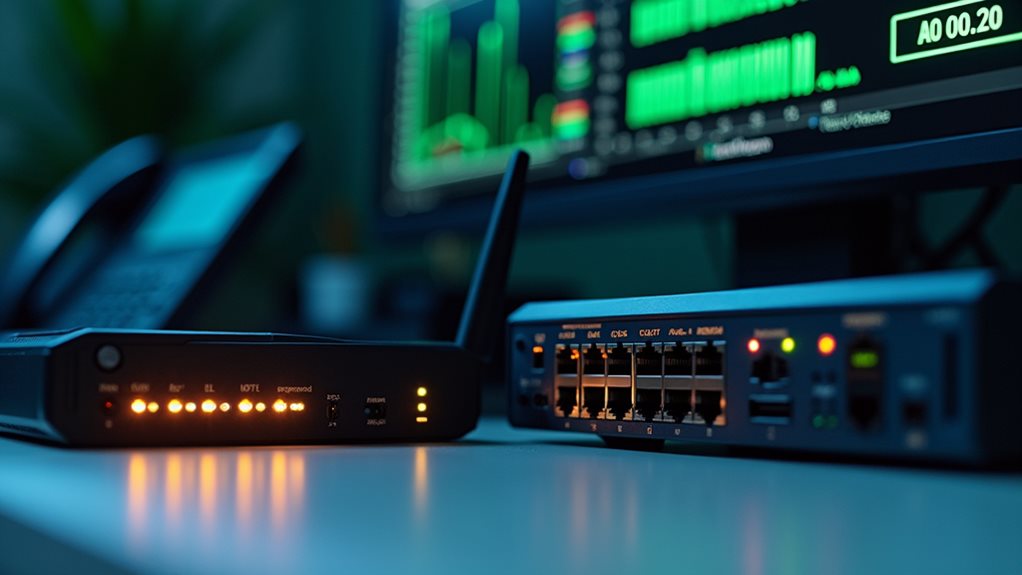
Once you’ve identified latency issues through network diagnostics, upgrading your hardware often provides the most direct path to improved VoIP performance.
Consider replacing outdated routers with models that support Quality of Service (QoS) features, which prioritize voice traffic over less time-sensitive data packets.
Modernize your network with QoS-enabled routers to ensure your voice calls take precedence over routine data transmissions.
You’ll want to evaluate your network configurations to guarantee they’re optimized for VoIP.
This might include implementing a dedicated network segment for voice communications or upgrading to gigabit Ethernet switches.
Don’t overlook the power of specialized VoIP gateways and Session Border Controllers (SBCs), which can greatly reduce latency by managing traffic flow more efficiently.
Remember that even the best software solutions can’t overcome fundamental hardware limitations.
Strategic hardware upgrades now can prevent frustrating call quality issues later. Regularly reviewing and adapting your QoS configurations to evolving network demands can further enhance call clarity.
Optimizing Bandwidth and QoS Settings for Better Call Quality
Optimizing bandwidth and QoS settings represents the cornerstone of achieving crystal-clear VoIP calls even during peak network traffic.
By implementing effective bandwidth management techniques, you’ll guarantee your voice data receives priority over less time-sensitive applications. Your QoS configuration should strategically allocate network resources to maintain call quality when bandwidth becomes constrained.
- Implement traffic shaping – Configure your router to prioritize VoIP packets over other data types, reducing latency during periods of network congestion.
- Establish bandwidth thresholds – Reserve at least 100 Kbps per simultaneous call while making certain your total bandwidth usage never exceeds 80% of your maximum capacity.
- Monitor and adjust QoS policies – Regularly review performance metrics and fine-tune your settings based on changing network demands, especially if you’ve added new applications or users. Additionally, ensure that your setup effectively addresses network congestion issues to further enhance call clarity.
Advanced Troubleshooting Techniques for Persistent Latency Problems

When persistent latency plagues your VoIP system despite basic troubleshooting efforts, you’ll need to deploy more sophisticated diagnostic approaches to identify and resolve the underlying issues.
Start by implementing thorough network optimization through packet sniffing tools like Wireshark, which can pinpoint exactly where delays occur in your data transmission path.
You’ll want to examine jitter buffers and adjust their settings to better accommodate your specific network conditions.
Consider deploying dedicated network monitoring solutions that track latency metrics in real-time, allowing for proactive latency mitigation before calls deteriorate.
Don’t overlook router firmware updates, which often contain fixes for performance issues.
Finally, try running trace routes during active calls to identify problematic network hops that may require rerouting through your service provider’s alternative pathways. Additionally, consider over-provisioning network capacity to ensure ample bandwidth during traffic spikes and maintain call quality.
Frequently Asked Questions
How Does Weather Affect Voip Latency?
Weather impacts VoIP latency when storms, high winds, or heavy rain disrupt internet connections. You’ll notice latency variability during severe weather conditions as signals weaken, causing delays in your voice transmission over the network.
Can Voip Latency Issues Damage My Hardware Over Time?
No, VoIP latency won’t cause hardware degradation or long term effects to your devices. Your hardware is designed to handle network delays without suffering physical damage, even if latency affects call quality.
Do Different Voip Providers Have Varying Latency Baselines?
Yes, different VoIP providers definitely have varying latency baselines. Your provider’s performance depends largely on their network infrastructure, geographic server distribution, and bandwidth capacity. You’ll notice these differences especially during peak usage times.
Is Voip Latency Worse on Mobile Devices Than Desktop Computers?
Yes, you’ll often experience worse VoIP latency on mobile devices than desktops due to limited mobile performance. Your device capabilities matter greatly, as smartphones have less processing power and rely on potentially unstable cellular connections.
How Does Voip Latency Compare to Traditional Phone Line Delays?
VoIP technology typically has higher latency than traditional telephony systems. You’ll notice delays of 150-200ms with VoIP compared to just 30-50ms on landlines. However, you won’t perceive this slight difference during normal conversations.
Final Thoughts
You’ve now got the tools to tackle VoIP latency head-on. Remember, it’s often a combination of solutions—hardware upgrades, bandwidth optimization, and QoS adjustments—that’ll yield the best results. Don’t hesitate to implement these strategies incrementally, measuring improvements as you go. With proper diagnosis and the right fixes, you’ll transform those frustrating, choppy calls into crystal-clear conversations that’ll keep your business communications flowing seamlessly.