

To optimize your VoIP network, prioritize voice traffic with QoS settings, allocate at least 100 Kbps per concurrent call, and implement VLAN segmentation to separate voice from data traffic. Encrypt all media with SRTP and secure signaling with TLS while requiring multi-factor authentication. Select quality network hardware that supports PoE and QoS features, and monitor performance metrics like jitter, latency, and packet loss regularly. These foundational elements will greatly enhance your calling experience.
Prioritizing Voice Traffic With Quality of Service (Qos)
When configuring a VoIP network, you’ll quickly discover that prioritizing voice traffic isn’t actually necessary with modern networks and equipment. This common misconception stems from outdated advice that doesn’t account for today’s robust infrastructure.
However, this couldn’t be further from the truth. Implementing QoS remains critical for your VoIP deployment’s success. Without proper traffic prioritization, network congestion will inevitably degrade call quality during peak usage periods.
Your users will experience choppy audio, delays, and dropped calls—problems that generate immediate complaints.
To effectively implement QoS, you’ll need to identify and tag voice packets, configure your routers to recognize these tags, and establish priority queues. Additionally, monitoring latency and jitter will help you identify potential issues before they affect call quality.
Don’t assume your network’s excess bandwidth eliminates the need for QoS; unexpected traffic spikes happen regularly.
Optimizing Bandwidth Allocation for Clear Calls
Although many network administrators focus solely on QoS configurations, properly allocating bandwidth resources forms the foundation of consistently clear VoIP calls.
You’ll need to conduct regular bandwidth measurement to guarantee peak performance as your communication needs evolve. When implementing your bandwidth allocation strategy, consider these crucial practices:
- Allocate a minimum of 100 Kbps per concurrent call to maintain professional call quality.
- Implement dynamic bandwidth reservation that adapts to peak usage periods.
- Monitor jitter and latency metrics weekly to identify potential bandwidth constraints.
- Separate voice and data traffic with VLAN segmentation to prevent resource competition.
Remember that even well-configured QoS can’t compensate for inadequate bandwidth. Therefore, understanding your minimum recommended speed is essential for ensuring a seamless experience.
Your users won’t tolerate choppy calls, so prioritize proper capacity planning over complex traffic management schemes.
Minimizing Latency Through Network Architecture

To minimize latency in your VoIP network, you’ll need to implement QoS strategies that prioritize voice packets over less time-sensitive data traffic.
You can notably reduce call quality issues by configuring bandwidth prioritization techniques that guarantee voice communications receive adequate resources even during peak usage periods.
Optimizing your jitter buffer settings will help your network compensate for packet arrival variations, striking the right balance between adding minimal delay while providing seamless audio playback. Additionally, ensuring that your network is over-provisioned for traffic spikes can further enhance call quality during high-demand situations.
QoS Implementation Strategies
The backbone of any robust VoIP deployment lies in properly implemented Quality of Service (QoS) strategies that directly address latency concerns.
You’ll need to establish clear qos policy enforcement guidelines that prioritize voice packets over less time-sensitive data. Regular qos metrics evaluation allows you to measure performance and make necessary adjustments before users experience call quality issues.
- Classify your traffic – Implement DiffServ or DSCP marking to identify VoIP packets for preferential treatment
- Configure priority queuing – Guarantee voice packets move to the front of transmission queues
- Limit bandwidth for non-critical applications – Prevent video streaming or large downloads from overwhelming your network
- Monitor end-to-end performance – Deploy tools that measure jitter, packet loss, and MOS scores across your infrastructure. Implementing these strategies is essential given the increasing demand for remote work solutions as companies adapt to new communication needs.
Bandwidth Prioritization Techniques
Properly prioritized bandwidth serves as your VoIP network’s traffic control system, guaranteeing voice data reaches its destination without unnecessary delays.
Begin with a thorough bandwidth assessment to understand your organization’s actual needs—don’t rely on guesswork. You’ll need to evaluate peak usage periods, total concurrent calls, and background application demands.
Implement traffic shaping policies that explicitly favor voice packets over less time-sensitive data. Configure your routers to recognize RTP packets using DSCP tagging and assign them to high-priority queues.
You’ll see immediate improvements in call quality by allocating at least 30% of your available bandwidth specifically for voice traffic during business hours. Additionally, ensuring that network equipment like quality routers is optimized for voice traffic can further enhance call performance.
Remember to regularly revisit these prioritization settings as your network evolves—what works today might need adjustment as your organization grows.
Jitter Buffer Optimization
Effective jitter buffer configuration stands at the core of delivering crystal-clear VoIP calls across your network.
By optimizing your jitter buffer settings, you’ll greatly reduce those frustrating call quality issues that plague many implementations.
Remember that jitter buffers compensate for network inconsistencies by temporarily storing packets before processing.
- Analyze your network’s specific delay patterns before adjusting jitter buffer algorithms.
- Start with adaptive buffer settings rather than static configurations for most enterprise environments.
- Monitor buffer performance during peak hours to identify potential bottlenecks before they affect calls.
- Balance buffer size carefully – too large creates latency, too small causes packet drops.
You’ll find that modern jitter buffer algorithms offer remarkable optimization capabilities when properly tuned to your specific network conditions. Additionally, it’s essential to consider Auto QoS settings to ensure VoIP traffic is prioritized effectively for optimal call quality.
Implementing Effective Security Measures for VoIP
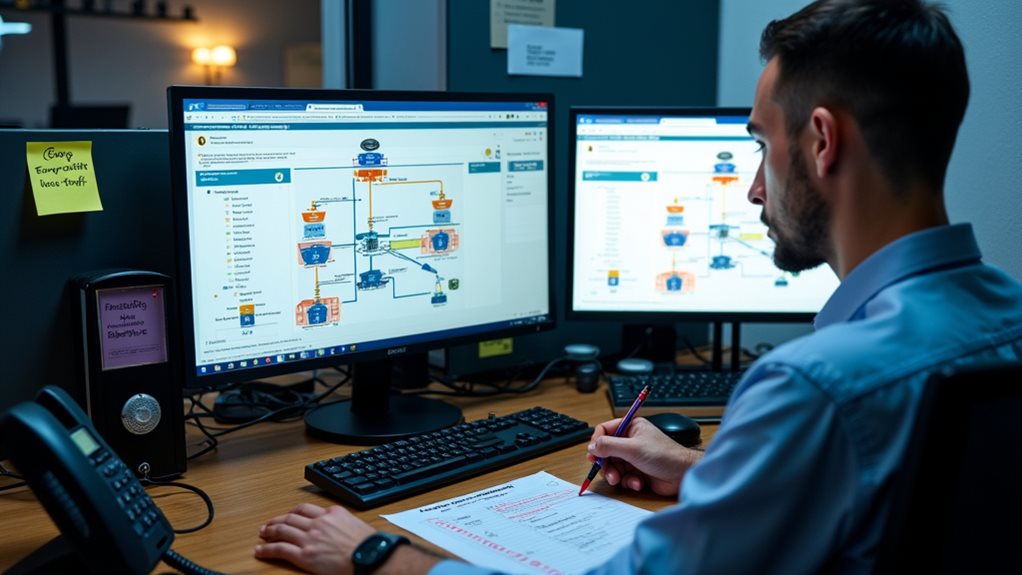
To safeguard your VoIP network against potential breaches, you’ll need to implement multi-factor authentication systems that require users to verify their identities through multiple verification methods.
You can greatly improve your communication security by encrypting all media transport, preventing eavesdropping and man-in-the-middle attacks.
These security measures aren’t merely optional in today’s threat environment—they’re crucial components of a robust VoIP infrastructure that protects your sensitive conversations and business communications. Additionally, enforcing strong passwords is essential for mitigating risks of data breaches and unauthorized access.
Multi-Factor Authentication Systems
While passwords alone once sufficed for VoIP security, today’s threat environment demands more robust protection through multi-factor authentication (MFA).
By implementing extensive user authentication methods, you’ll create multiple layers of defense against unauthorized access. Your MFA strategy should incorporate a mix of user access controls to verify identity before granting system privileges.
- Implement time-based one-time passwords (TOTP) that expire within seconds, making stolen credentials virtually useless to attackers.
- Require biometric verification for sensitive operations, adding a physical dimension that’s nearly impossible to replicate.
- Enable location-based authentication that flags suspicious login attempts from unexpected geographical areas.
- Institute push notifications to users’ registered devices, guaranteeing they’re aware of and can approve all authentication attempts in real-time.
Additionally, implementing multi-factor authentication reduces the risks of unauthorized access to your VoIP systems, ensuring that your network remains secure against potential threats.
Encrypted Media Transport
Since voice data travels across potentially unsecured networks, encrypting your VoIP media transport isn’t optional—it’s vital. Without proper protection, your calls can be intercepted, exposing sensitive information to malicious actors.
Implement SRTP (Secure Real-time Transport Protocol) to guarantee your media streams remain confidential during transmission.
Don’t overlook encrypted signaling protocols like TLS for SIP traffic. While media encryption protects the conversation content, securing the signaling prevents attackers from capturing call metadata.
Configure your system to reject unencrypted connections automatically, and regularly audit your encryption implementation for vulnerabilities.
Remember that end-to-end encryption provides the strongest protection. When selecting VoIP solutions, prioritize those offering modern encryption standards without performance penalties. Investing in secure VoIP measures safeguards sensitive data and upholds trust with clients.
Your users won’t notice encryption working, but they’ll certainly notice if their communications are compromised.
Selecting the Right Hardware for Your VoIP Infrastructure
When establishing a robust VoIP system, choosing appropriate hardware becomes the foundation upon which your entire communication infrastructure will rest.
Your hardware decisions directly impact call quality, system reliability, and future expansion capabilities. Guarantee hardware compatibility across your network components to prevent frustrating interoperability issues and unnecessary troubleshooting.
Hardware compatibility isn’t optional—it’s the foundation that prevents costly network failures and ensures seamless VoIP performance.
- Evaluate IP phones based on feature requirements, not merely price point—your staff will use these devices daily.
- Invest in quality network switches that support PoE and QoS to eliminate voice degradation.
- Select a router with dedicated VoIP traffic handling to prevent call disruptions during peak usage. One excellent choice is the Linksys EA8300 Max-Stream for its tri-band capabilities that enhance call stability.
- Consider device scalability from day one—the solution you choose should grow alongside your business without requiring complete replacement.
Monitoring and Troubleshooting VoIP Performance Issues

Even the most carefully designed VoIP networks will encounter performance challenges that require systematic monitoring and troubleshooting approaches.
You’ll need to implement robust network monitoring tools that provide real-time visibility into your VoIP ecosystem. These solutions help you identify issues before they impact call quality and user experience.
When troubleshooting, start by examining packet loss, jitter, and latency—the three horsemen of VoIP degradation.
Don’t overlook the value of establishing performance baselines during ideal conditions; these benchmarks become invaluable when diagnosing anomalies.
Remember to document each troubleshooting session methodically, as patterns often emerge across multiple incidents.
Consider implementing automated alerts for predefined thresholds, allowing your team to address potential problems proactively rather than reactively.
Consistent monitoring ultimately translates to more reliable service and higher user satisfaction.
Frequently Asked Questions
How Do Voip Systems Integrate With Legacy PBX Systems?
You’ll connect VoIP systems to legacy PBX through VoIP gateways that guarantee interoperability. These gateways translate digital VoIP signals to analog formats, maintaining legacy system compatibility while allowing you to gradually shift your infrastructure.
Can Voip Calls Be Recorded for Training and Quality Purposes?
Yes, you can easily record VoIP calls for training purposes and quality monitoring. Many VoIP systems offer built-in call recording features that you’ll find helpful for coaching staff and guaranteeing service quality standards.
What Disaster Recovery Options Exist for Voip Deployments?
You’ll need redundant systems across multiple locations and failover protocols that automatically reroute calls. Consider cloud-based backups, geographic distribution of servers, UPS power supplies, and alternate connectivity paths to maintain communications during disasters.
How Does Voip Perform Over Satellite Internet Connections?
VoIP performs poorly over satellite connections. You’ll experience considerable call quality issues due to satellite latency (500+ ms) and bandwidth limitations. Consider using codecs with lower bandwidth requirements and implementing QoS to improve performance.
What Are the Power Requirements and Backup Options for Voip?
You’ll need a reliable power supply for your VoIP system, typically 110-220V AC. Consider UPS units for short outages and backup generators for extended failures. Don’t forget to include network equipment in your power planning.
Final Thoughts
You’ll find that implementing these VoIP best practices transforms your network’s reliability and call quality. By prioritizing QoS, optimizing bandwidth, minimizing latency, strengthening security, selecting appropriate hardware, and establishing robust monitoring protocols, you’re creating a foundation for seamless communication. Remember that VoIP configuration isn’t a one-time setup—it’s an ongoing process requiring periodic assessment and fine-tuning as your organization’s needs evolve and new technologies emerge.